What is Specsources?
Specsources is cloud-based FF&E specification software created for interior design, hospitality, procurement, development, and BIM teams. It helps professionals create specifications, organize product and vendor information, manage project documentation, prepare budgets, collect approvals, and generate professional spec books from one connected platform.
Who is Specsources designed for?
Specsources is designed for interior design firms, hospitality brands, procurement professionals, developers, owners, architects, and BIM or Revit teams. It can support projects ranging from small offices and residential spaces to hotels, commercial properties, and large multi-location developments.
What is the difference between SpecWeb, SpecGrab, and SpecBIM?
SpecWeb is the main web-based platform used to create and manage FF&E specifications, projects, reports, budgets, bids, approvals, and purchase orders. SpecGrab is a browser extension that helps users create specifications from manufacturer websites. SpecBIM is an optional Revit add-in that connects Revit project information with Specsources.
How does SpecGrab help interior designers create specifications?
SpecGrab helps designers create specifications directly from manufacturer and product websites. It can collect relevant product information, images, documents, and source details, reducing repetitive copying and manual data entry. The captured information can then be used to build a new specification inside Specsources.
Does Specsources integrate with Revit?
Yes. SpecBIM is an optional Revit add-in that allows teams to pass information such as areas, rooms, and quantities from Revit into Specsources. This helps BIM, architecture, and interior design teams reduce duplicate data entry and keep model information connected with FF&E documentation.
Can we create standardized specification templates?
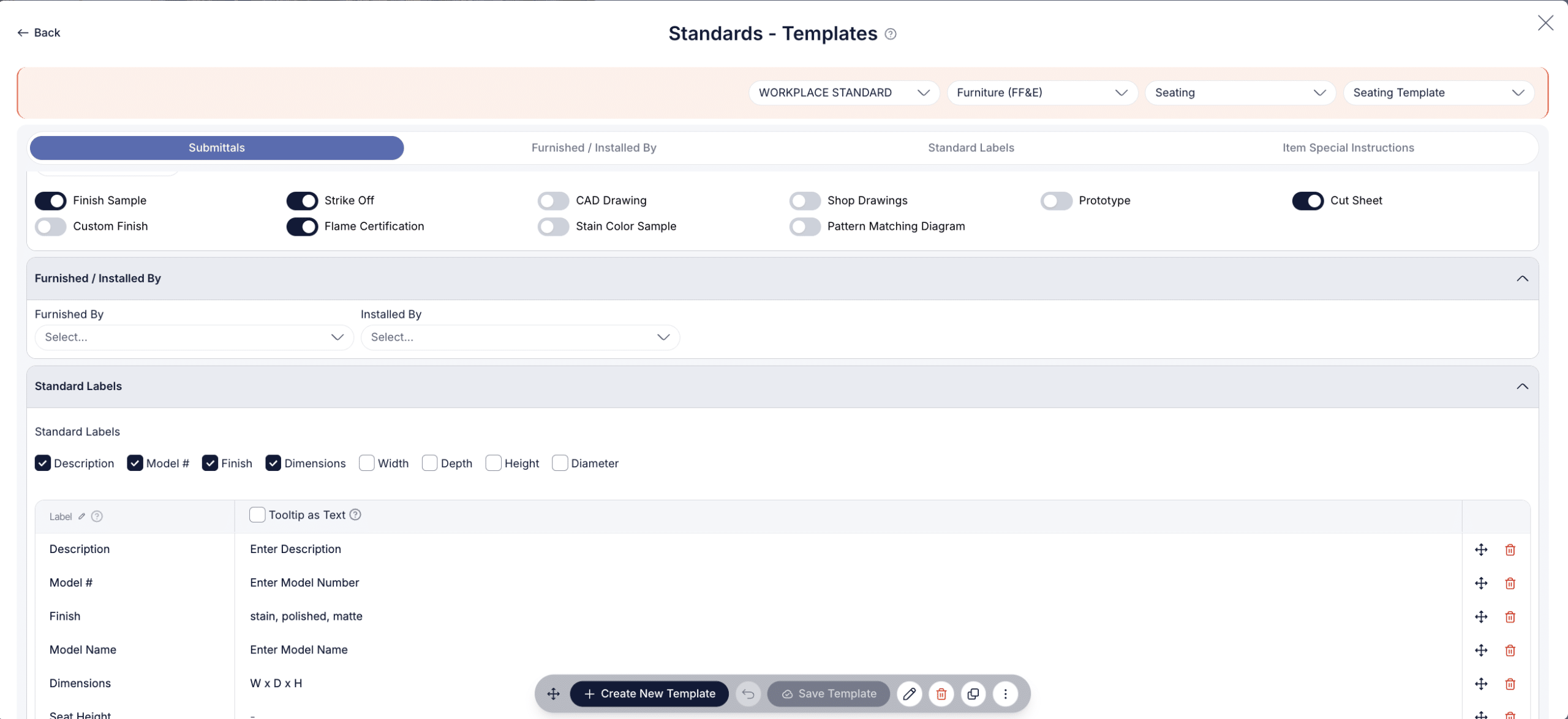
Yes. Administrators can create data templates based on company requirements, project needs, or client standards. Templates can include predefined fields, labels, special instructions, and submittal requirements, giving designers a consistent structure to complete instead of rebuilding each specification from the beginning.
Can we save and reuse products from previous projects?
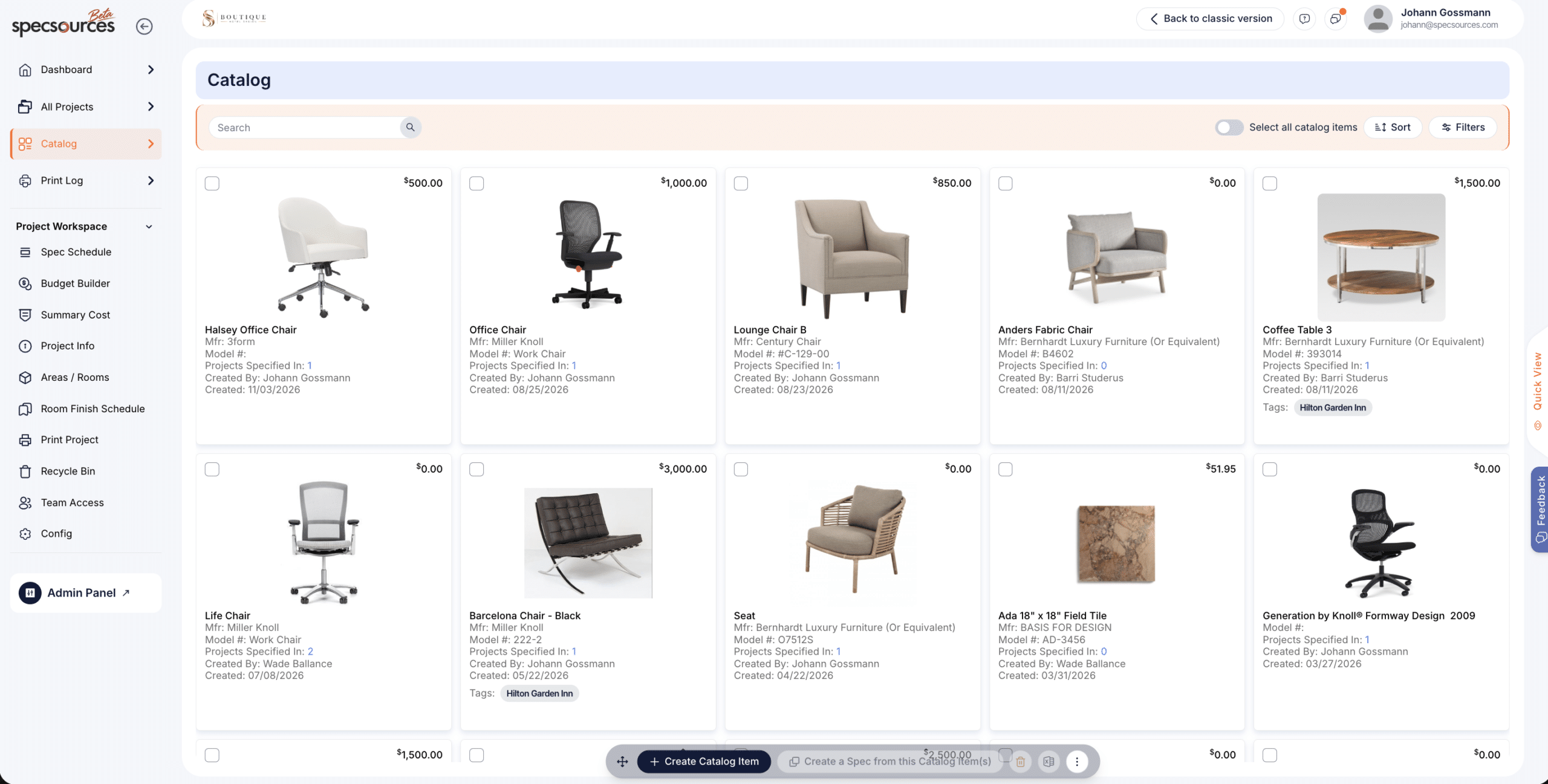
Yes. The Specsources catalog allows teams to save products and items they frequently specify. Products can be tagged with searchable keywords and imported into future projects, helping firms reduce duplicate work and maintain more consistent product and specification standards.
What information can be included in a Specsources specification sheet?
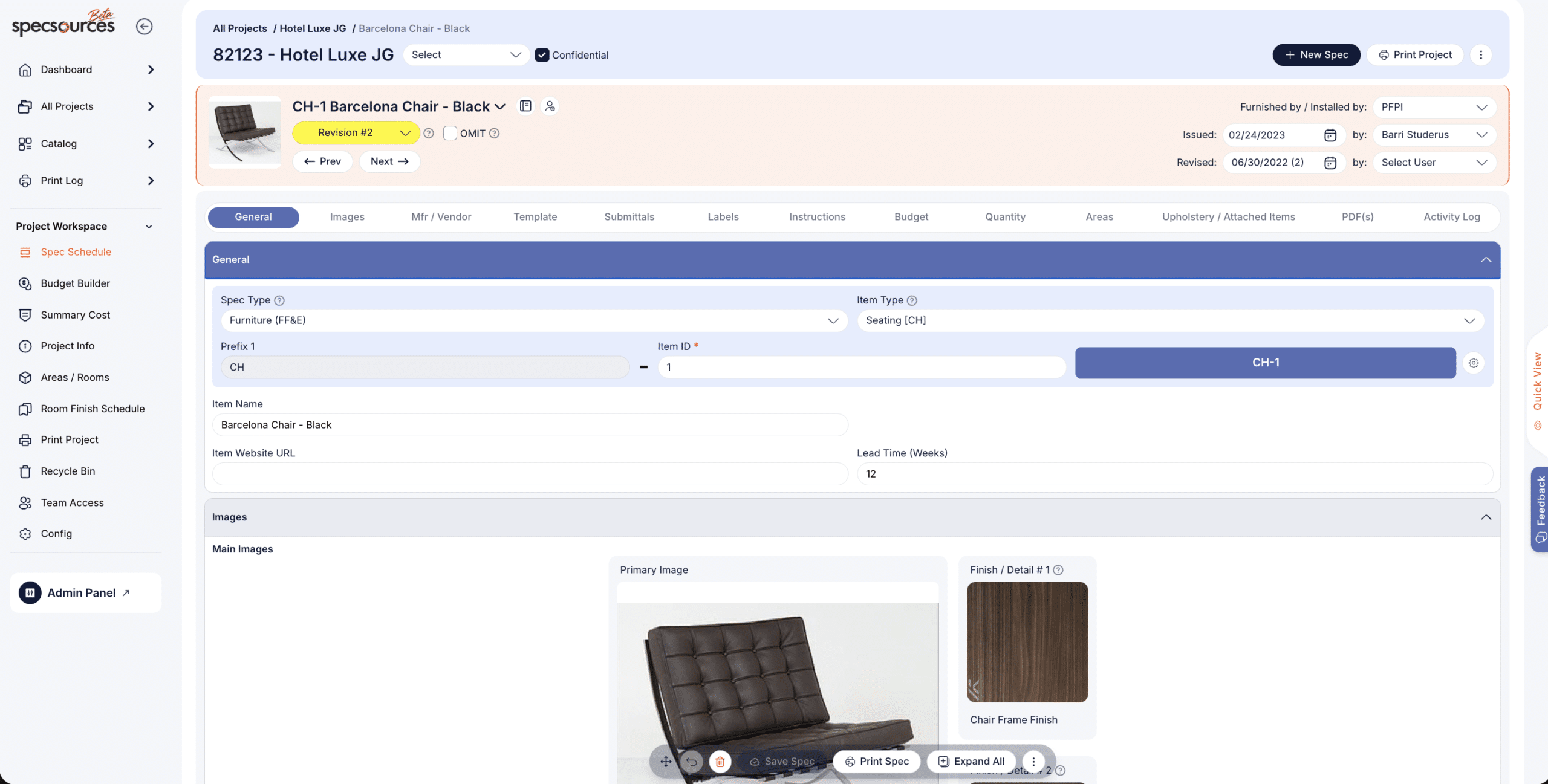
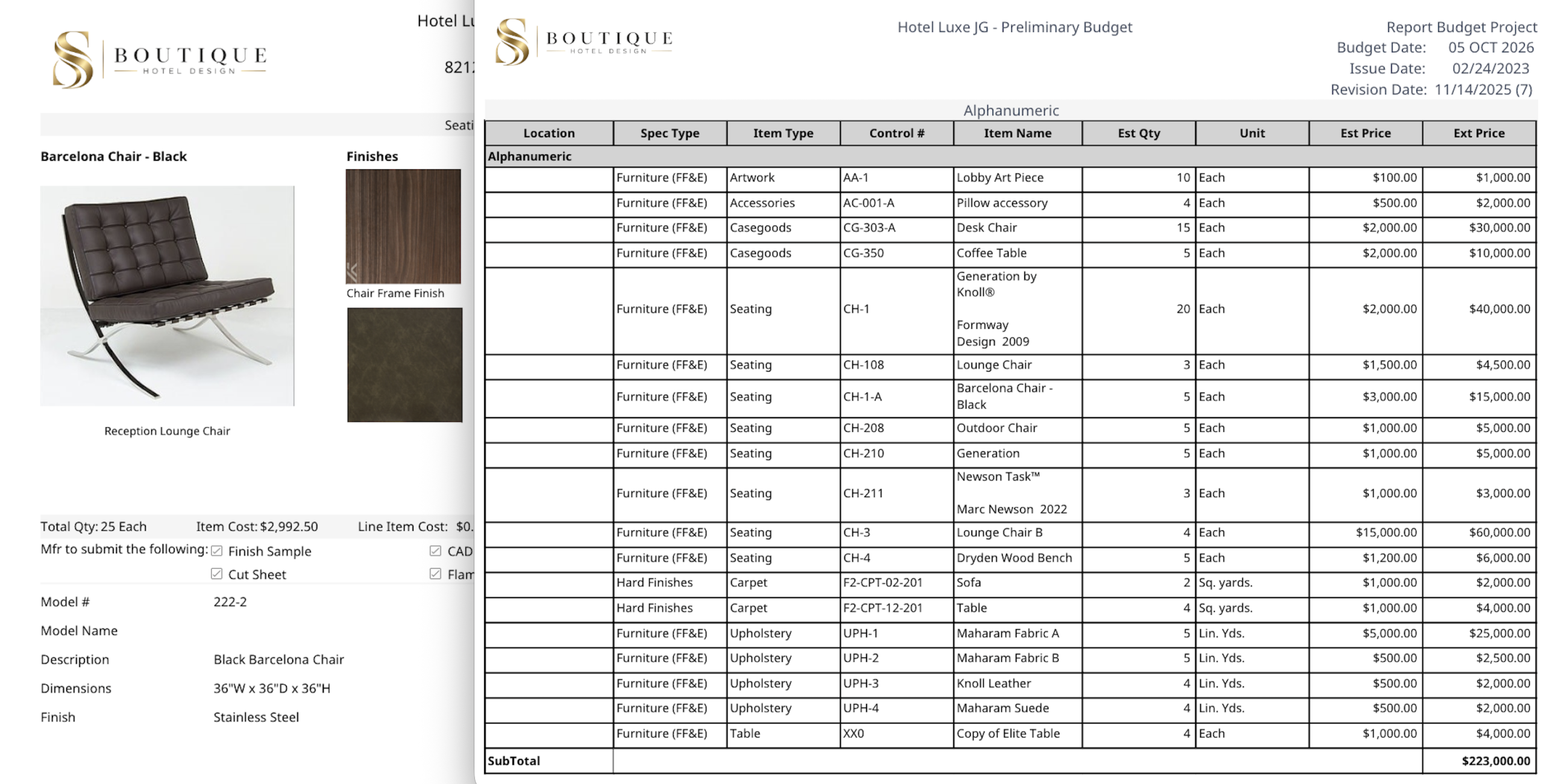
Specification sheets can include a primary product image, additional detail or finish images, linked specifications, and supporting PDF documents. Teams can use this structure to keep product details, finishes, technical information, installation instructions, and related documentation together in one organized specification.
Can Specsources generate customized spec books and reports?
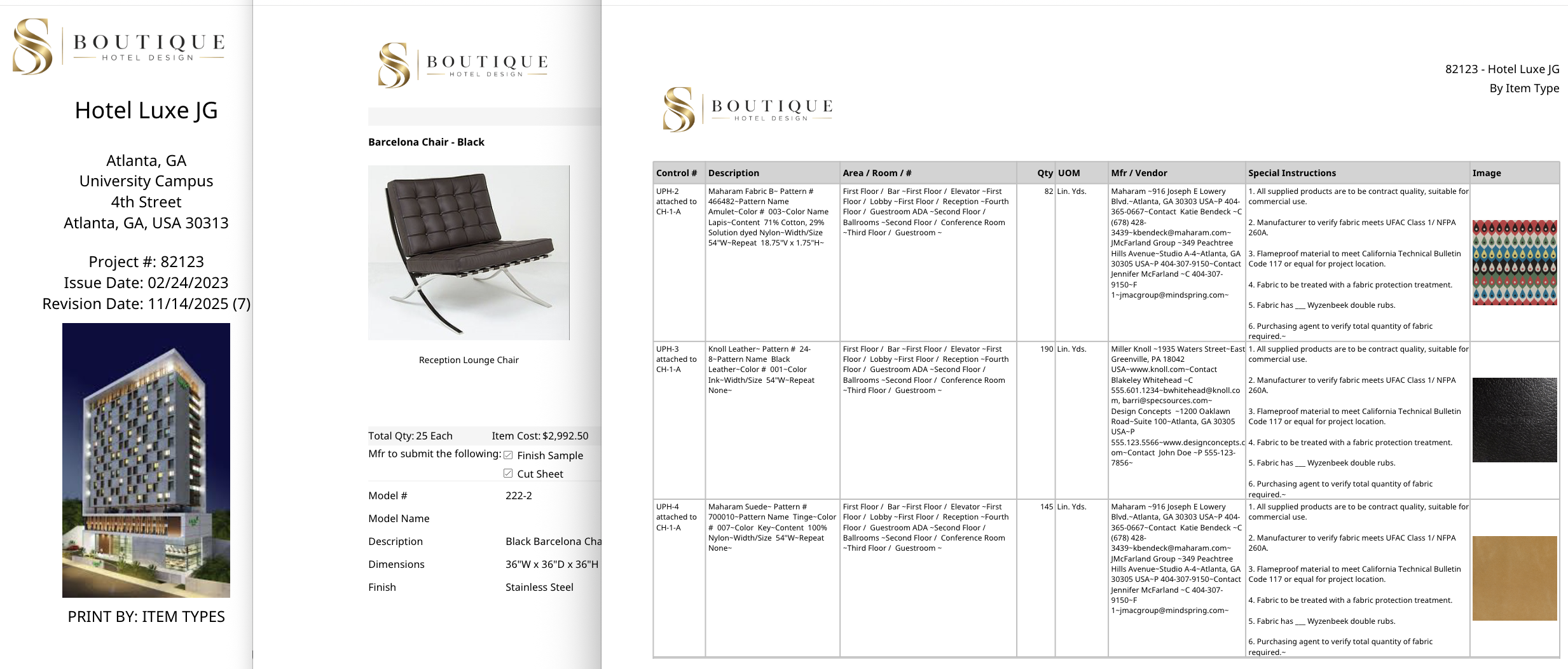
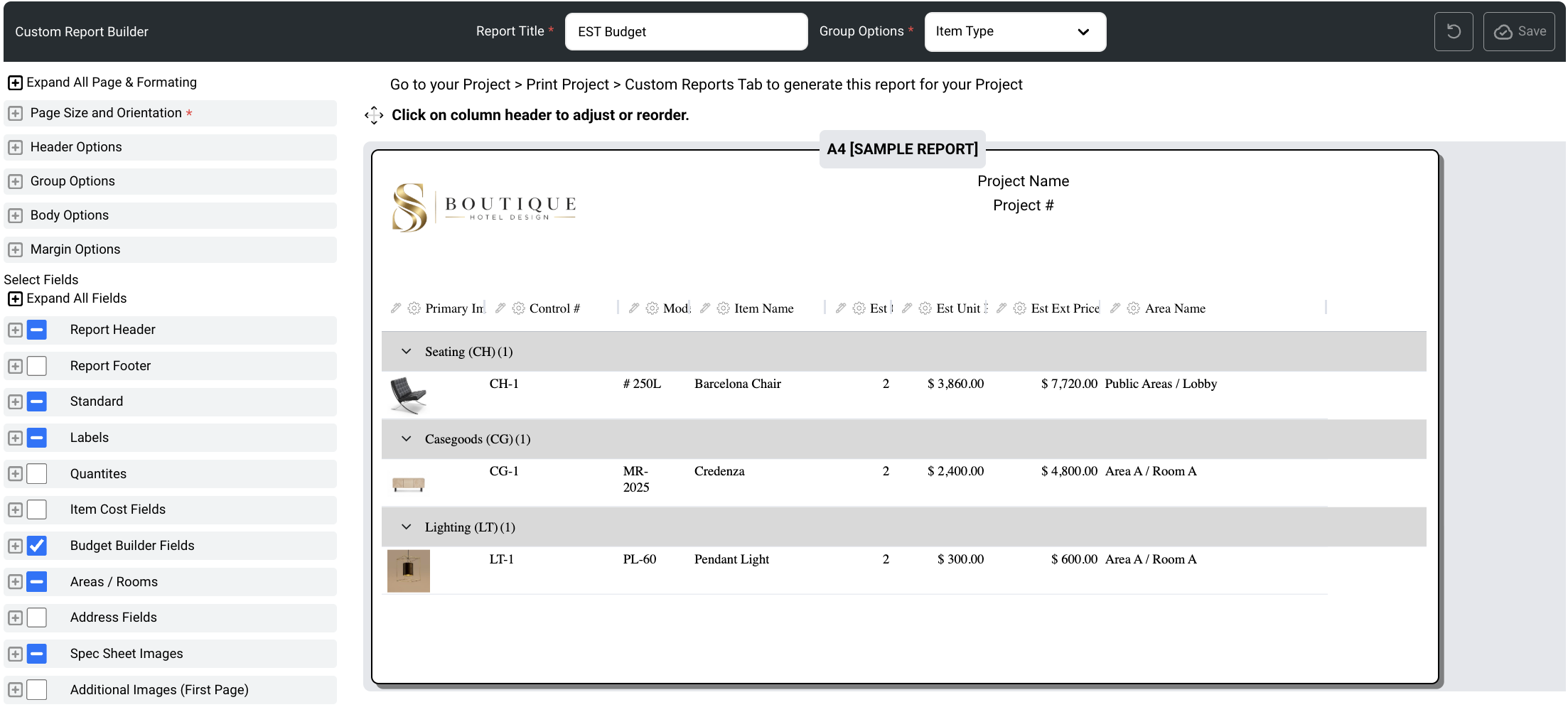
Yes. Teams can generate spec books organized by item number, item type, area, room, manufacturer, vendor, issue date, revision date, or other project criteria. Specsources also offers dozens of standard reports and a custom report builder that allows users to create and save reports using fields available in SpecWeb.
Can clients, vendors, and external team members collaborate in Specsources?
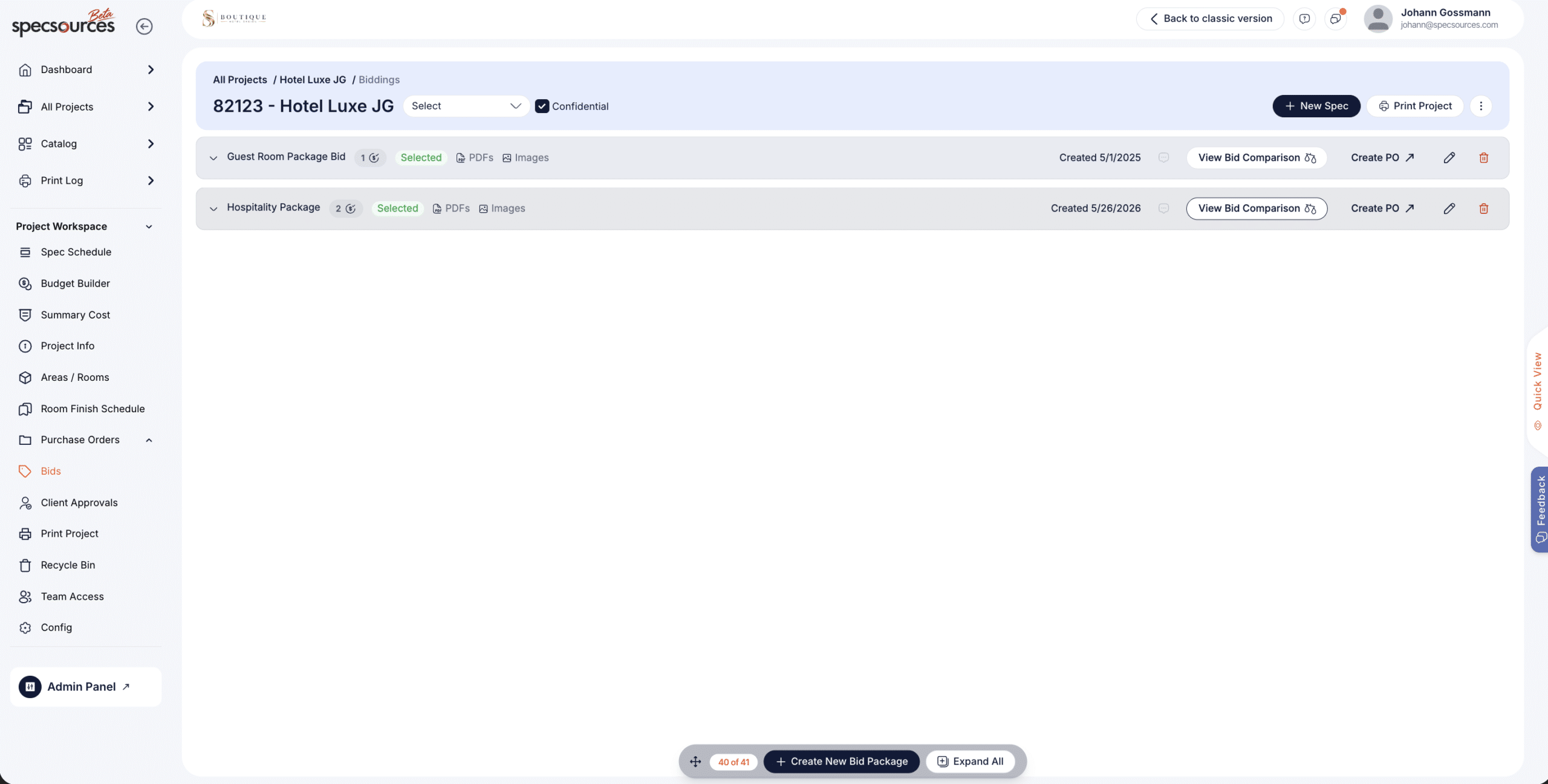
Yes. SpecWeb plans allow firms to add unlimited external team members without an additional user fee. The platform also supports internal and external messaging, vendor bid packages, bid comparisons, and client specification approvals, helping stakeholders participate without relying entirely on separate spreadsheets and email threads.
Does Specsources support FF&E budgeting and procurement?
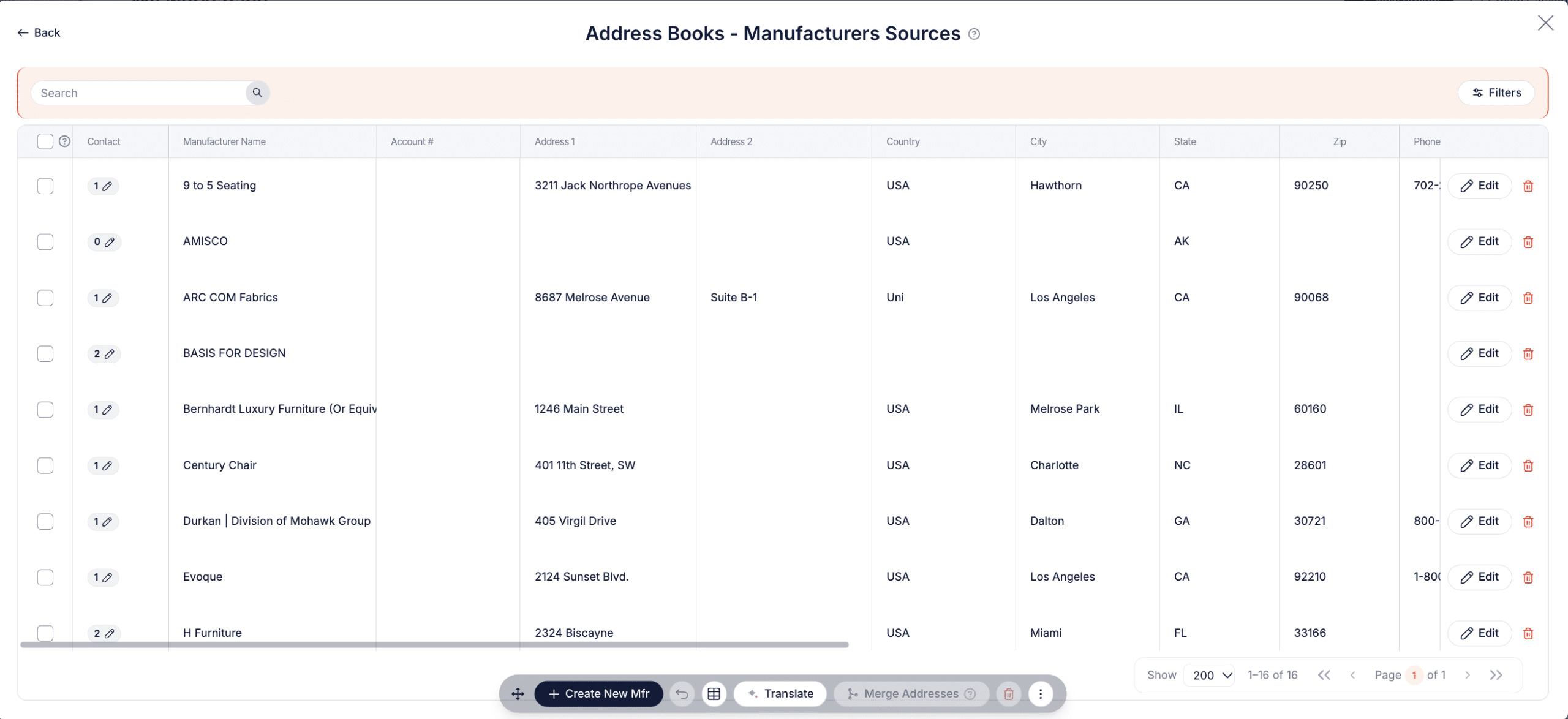
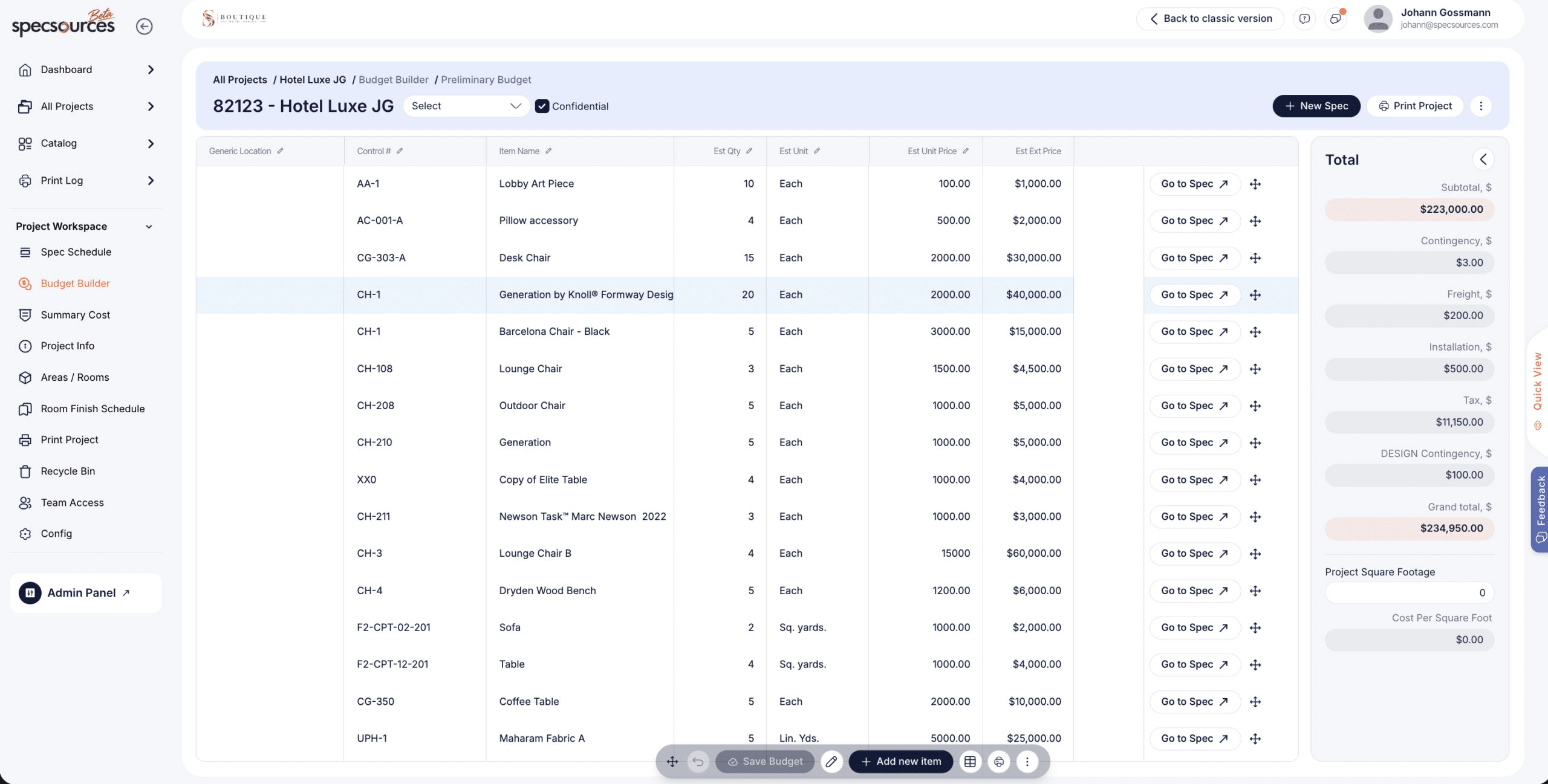
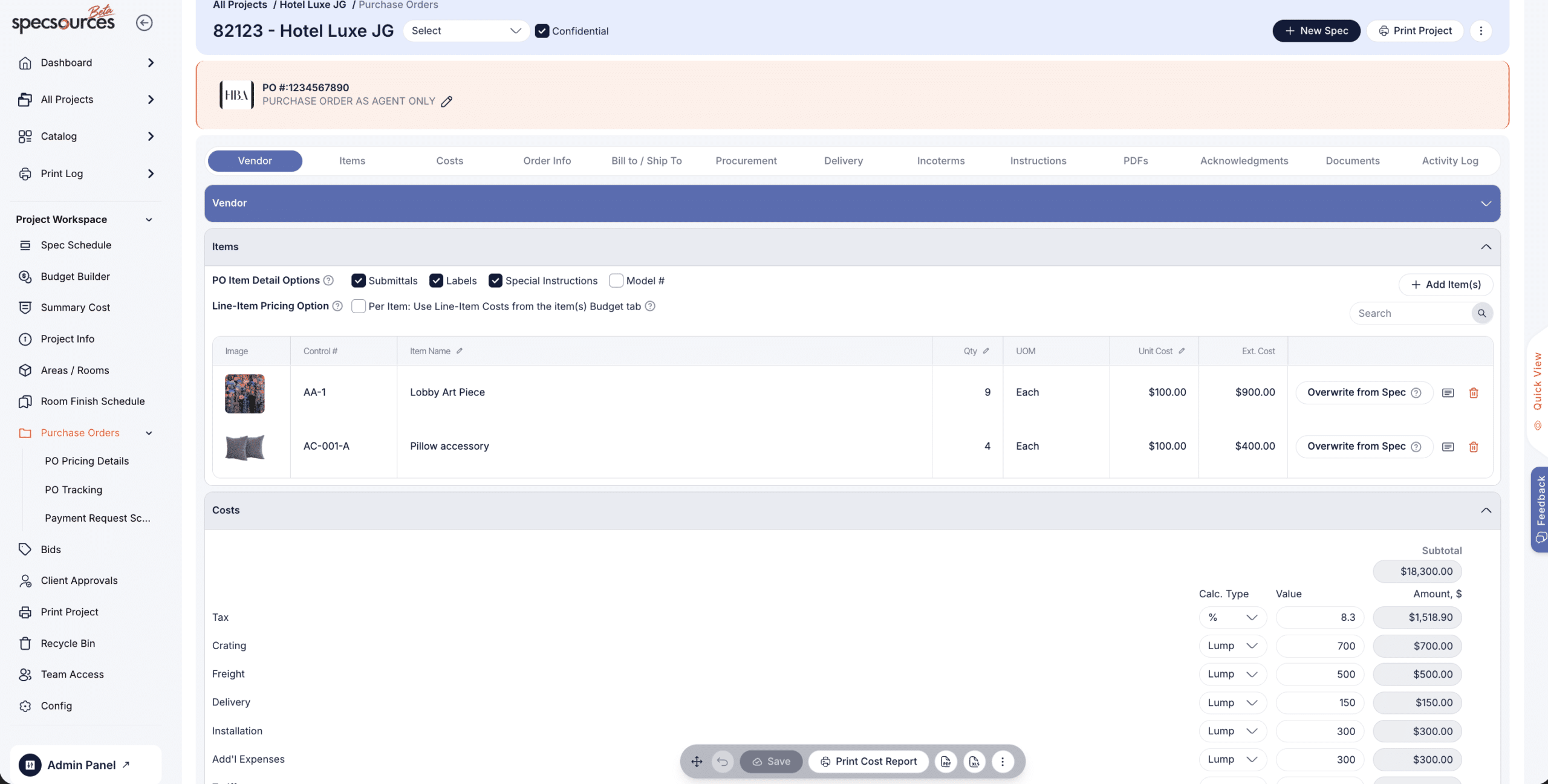
Yes. Specsources includes tools for creating preliminary and project-stage budgets, estimating project costs, preparing bid packages, comparing vendor bids, recording approvals, and creating purchase orders. Purchase orders can also include acknowledgements, payment requests, supporting documents, and items from existing project specifications.
How much does Specsources cost?
SpecWeb is available through monthly and annual named-user subscriptions, and SpecGrab is included with the SpecWeb plan. Concurrent-user pricing is available by contacting Specsources. SpecBIM is an optional Revit add-in with separate pricing based on the organization’s requirements. Visit the Specsources pricing page for the current rates and licensing details.








 Request a Demo

 Project Management

 Spec Book & Report Printing
 Internal Messaging
 Purchase Orders
 External Messaging
 Custom Report Builder
 Data
Data


 Project Management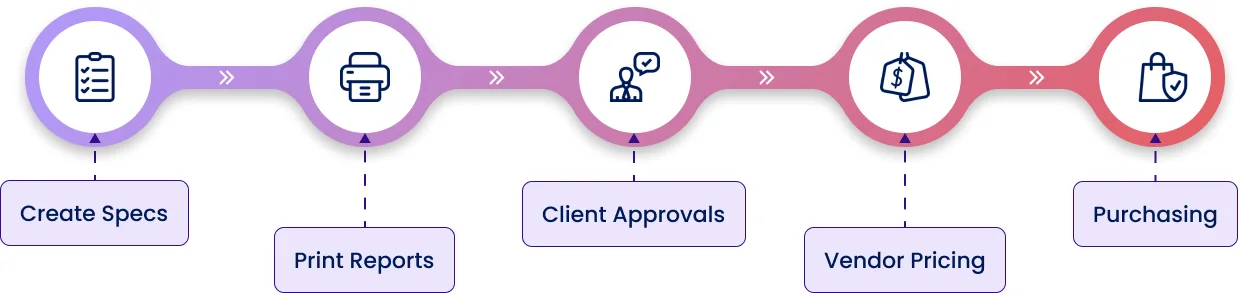










 Read more